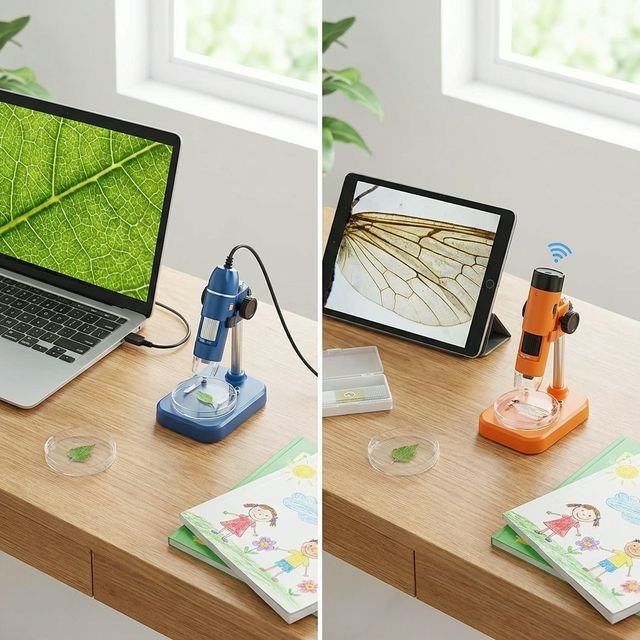

If you’re considering buying a digital microscope for your child, one of the first decisions you’ll face is whether to choose a USB or WiFi model. Both have their strengths, and the right choice depends on how your family plans to use it. We’ve tested both types extensively with children aged 5 to 12 and put together this comprehensive comparison to help you decide.
What’s the Difference?
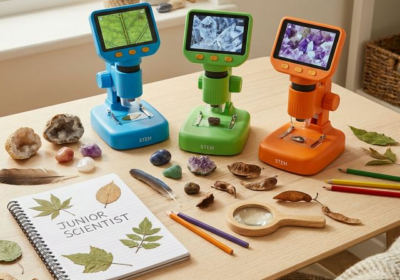
A USB microscope connects directly to a computer or laptop via a USB cable. The microscope streams live video to the screen, and you can capture images and video through companion software. A WiFi microscope, on the other hand, creates its own wireless network. You connect a phone or tablet to the microscope’s WiFi signal, then view and capture images through a dedicated app.
Both types use built-in LED lights to illuminate specimens and offer digital zoom capabilities. The fundamental difference is simply how they connect to your viewing device.
Image Quality: USB Wins, But Not by Much
In our side-by-side testing, USB microscopes consistently produced slightly sharper images with better colour accuracy. This is because a wired connection can transmit data faster and more reliably than WiFi.
The Plugable USB 2.0 Digital Microscope (£34.99) produced the clearest images in our testing, with excellent detail visible on leaf cells, fabric weaves, and insect wings. WiFi models like the Jiusion WiFi Digital Microscope (£29.99) produced good results at lower magnifications but became noticeably softer at higher zoom levels.
That said, for most children’s exploration and school projects, both types produce images that are more than good enough. The difference is only really noticeable when comparing them side by side at maximum magnification.
Ease of Use: WiFi is More Kid-Friendly
This is where WiFi microscopes shine. Setting up a USB microscope typically involves:
- Finding and installing the correct driver software
- Connecting to a computer (which needs to be near the specimens)
- Learning the capture software interface
For younger children, this process can be frustrating and usually requires adult assistance. WiFi microscopes are much more intuitive — most children can connect to the WiFi network and open the app within a couple of minutes, without any adult help.
In our family testing sessions, children aged 6 and above could independently set up and use WiFi microscopes. USB microscopes generally required adult involvement for children under 9.
Portability: WiFi Is the Clear Winner
If your child wants to explore outdoors — examining leaves in the garden, rocks on walks, or insects at the park — a WiFi microscope is the obvious choice. It’s completely wireless, battery-powered, and connects to a device your child probably already carries.
USB microscopes are tethered to a computer, which effectively limits them to desk use. This isn’t necessarily a disadvantage if your child prefers structured, sit-down science sessions, but it does limit spontaneous exploration.
Durability and Battery Life
USB microscopes draw power from the computer, so battery life isn’t a concern — they’ll work as long as the computer is on. WiFi microscopes typically offer 1.5 to 3 hours of battery life, which is usually enough for a good exploration session but can be frustrating if your child forgets to charge it.
In terms of physical durability, both types are generally robust enough for careful handling by children aged 6 and above. We recommend silicon cases where available, especially for WiFi models that are more likely to be used on the move.
Value for Money
Both USB and WiFi microscopes are remarkably affordable. Most decent models fall between £15 and £40, making them one of the best value STEM investments you can make.
| Feature | USB Microscope | WiFi Microscope |
|---|---|---|
| Price range | £15–£40 | £20–£45 |
| Image quality | ⭐⭐⭐⭐⭐ | ⭐⭐⭐⭐ |
| Ease of use | ⭐⭐⭐ | ⭐⭐⭐⭐⭐ |
| Portability | ⭐⭐ | ⭐⭐⭐⭐⭐ |
| Best for ages | 8–12 | 5–12 |
Our Recommendation
For younger children (5–8): Choose a WiFi microscope. The wireless freedom and simple app-based interface mean they can explore independently, which builds confidence and keeps them engaged longer.
For older children (8–12): Consider a USB microscope if they’re comfortable with computers and want the best image quality for school projects. If portability matters, WiFi is still an excellent choice.
For families with multiple children: WiFi is usually the better bet, as it works with any phone or tablet in the house without needing to install specialist software on a computer.
Whatever you choose, you’re giving your child a tool that transforms the ordinary world into something extraordinary. Both types open up the same sense of wonder — the only question is how they connect to it.